Yes. In the United States, electronic signatures are legally binding for most business documents, including liability waivers and consent forms. The federal ESIGN Act and the Uniform Electronic Transactions Act (UETA), adopted in almost every state, say a signature or contract cannot be denied legal effect just because it is electronic. What matters is showing that the person intended to sign, agreed to do it electronically, and that the record was kept accurately.
So the real question for a waiver is not "is an e-signature valid?" but "can you prove who signed what, and when?" That is where audit trails come in.
The two laws that make e-signatures valid
The ESIGN Act (federal)
The Electronic Signatures in Global and National Commerce Act, passed in 2000 (15 U.S.C. 7001 and following), applies to transactions in interstate and foreign commerce. Its core rule: a signature, contract or record may not be denied legal effect, validity or enforceability solely because it is in electronic form. It also sets consumer disclosure rules for cases where another law requires information to be given to a consumer in writing.
UETA (state law)
The Uniform Electronic Transactions Act is a model law that states adopt individually. It has been adopted by 49 states plus the District of Columbia and the US Virgin Islands. New York is the exception, but it has its own Electronic Signatures and Records Act, which courts have read as consistent with ESIGN. UETA gives electronic records and signatures the same effect as paper and ink in transactions where the parties agreed to deal electronically.
In short, between ESIGN and state law, an electronically signed waiver is treated like a paper one almost everywhere in the US.
What counts as an electronic signature
The law is technology-neutral. An electronic signature is any electronic sound, symbol or process attached to a record and adopted by a person with the intent to sign. That includes:
- A signature drawn with a finger or stylus on a phone or tablet
- A typed name, when the person clearly adopts it as their signature
- Clicking "I agree" or "Sign" on a clearly labeled form
- A code or PIN used to confirm a signature
No special certificate, app or digital ID is required for ordinary business documents like waivers.
The four things you need to show
Courts look at whether the e-signature process was reliable. For a waiver or consent form, aim to prove:
- Intent to sign. The signer took a clear action meant as a signature, like drawing or typing their name next to a statement such as "By signing, I agree to this release."
- Consent to do business electronically. The person chose to sign online. Offering a paper option on request and stating that the signer agrees to sign electronically helps.
- Attribution. You can connect the signature to the person, for example through the name, email, phone, date of birth and the device used.
- Record integrity. The signed document has not changed since signing, and you can produce an accurate copy.
What a good audit trail records
| Evidence | Why it matters |
|---|---|
| Exact text of the document signed | Shows what the person agreed to, even if you edited the form later |
| Date and time (with time zone) | Shows it was signed before the activity |
| IP address and device or browser | Helps connect the signature to the signer |
| Signer's details (name, email, phone, DOB) | Attribution, and age checks for minors |
| Signature image or typed name | The act of signing |
| Ticked statements and initials | Shows specific sections were acknowledged |
| Document fingerprint (hash) | Proves the record was not altered |
| Copy sent to the signer | Gives the signer access to what they signed |
Paper waivers often lack most of this. A paper form shows a signature, but proving the date, that it was the current version, or that pages were not swapped can be harder than with a good electronic record.
Exceptions: documents that cannot always be signed electronically
ESIGN excludes some categories from its general rule, and UETA has similar carve-outs. These include:
- Wills, codicils and testamentary trusts
- Adoption, divorce and other family law matters
- Court orders, notices and official court documents
- Notices of cancellation or termination of utility services
- Certain notices about default, foreclosure or eviction on a primary residence
- Cancellation of health or life insurance benefits
- Product recall notices and certain hazardous materials documents
- Most of the Uniform Commercial Code, apart from some articles
Liability waivers, releases, hold harmless agreements, photo releases and most consent forms for small businesses are not on that list. Other laws can add special rules for specific documents, for example some health and financial documents, so check if your industry is regulated.
Electronic signatures on waivers for minors
A parent or guardian can sign electronically just like on paper. The same evidence applies, plus a few extras: record the child's name and date of birth, the guardian's relationship to the child, and a statement that the signer is the parent or legal guardian. Whether a parent can waive a child's claims at all is a separate question of state law. See can a parent sign a waiver for a child.
Best practices for electronic waivers
- Show the full document before the signature, not behind a link.
- Put a clear statement next to the signature box: "I have read and agree to this document and agree to sign electronically."
- Use tick boxes or initials for key sections like the release and assumption of risk.
- Send the signer a copy (PDF by email) right after signing.
- Keep the exact version each person signed, not just the latest version of your form.
- Make records searchable so you can find a waiver quickly after an incident.
- Keep records at least as long as the statute of limitations in your state.
Paper vs electronic waivers
| Paper waiver | Electronic waiver with audit trail | |
|---|---|---|
| Legal effect of the signature | Valid | Valid under ESIGN and UETA |
| Proof of date and time | Handwritten, easy to dispute | Recorded automatically |
| Proof of which version was signed | Hard if the form changed | Exact text stored with each signature |
| Finding a record after an incident | Search through boxes | Search by name, email or date |
| Copy for the signer | Rarely given | Emailed right after signing |
| Missing fields or unreadable writing | Common | Required fields checked before signing |
E-signature validity is not the same as enforceability
An electronic signature makes a waiver just as valid as a paper one, no more and no less. Whether a court enforces the waiver's release still depends on its wording, your state's law and the facts. Read are liability waivers enforceable for what courts look at.
This guide is general information, not legal advice. Have a local attorney review your process if you work in a regulated industry or have specific concerns.
How FairWaiver handles it
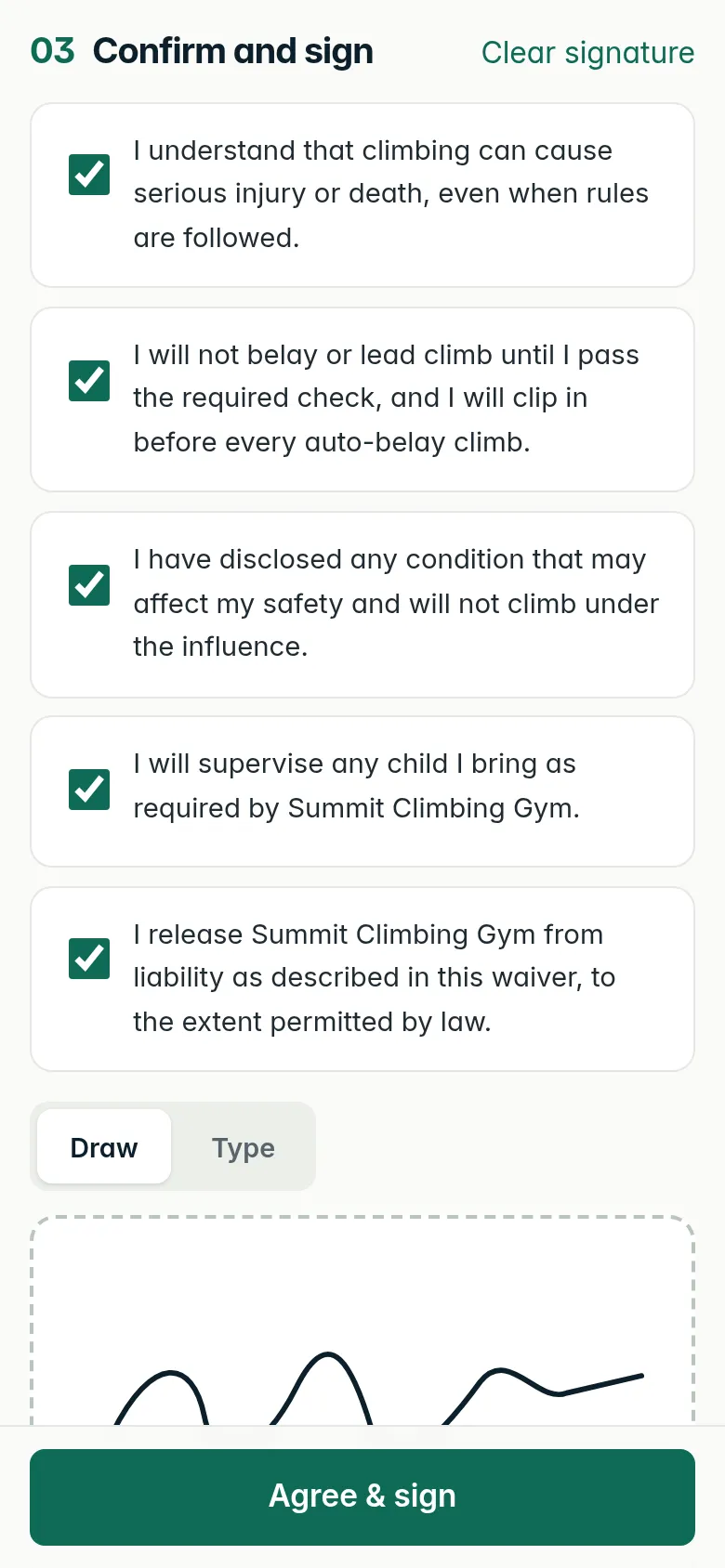
FairWaiver e-signatures follow the ESIGN Act and UETA. Signers draw or type their signature on their own phone or a tablet, and each record stores the exact signed text, time, IP address, device and a document fingerprint, with a signed PDF emailed to the signer. You can try it free with templates like the liability waiver and parental consent form.
Frequently asked questions
Is an electronic signature legally binding in the US?
Yes, for most documents. The federal ESIGN Act and state UETA laws say a signature cannot be denied legal effect solely because it is electronic. A few categories, like wills and court documents, are excluded.
Are electronic signatures valid on liability waivers?
Yes. Liability waivers are ordinary contracts and are not among the ESIGN exceptions. Courts look at the waiver's content and whether you can prove who signed it and when.
Is a typed name a legal signature?
It can be. A typed name counts when the person adopts it with the intent to sign, for example by typing it into a box labeled as their signature next to clear agreement language.
What makes an electronic signature hold up in court?
Evidence of intent, consent to sign electronically, attribution to the signer and an unaltered record. An audit trail with the signed text, time, IP address, device and a document fingerprint covers these points.
Does New York accept electronic signatures?
Yes. New York has not adopted UETA, but its Electronic Signatures and Records Act gives electronic signatures legal effect, and the federal ESIGN Act also applies.
Do I need special software for a legal e-signature?
No special certificate is required for ordinary business documents. You do need a reliable way to capture the signature and keep a complete, unaltered record.
Collect signed waivers online
Customers sign on their phone, a QR code or a front-desk tablet. Every signature is stored as a PDF with an audit trail. Free for 25 signatures a month.
Start free